Apex GenAI
A generative AI platform that accelerates software development through intelligent automation.
Overview
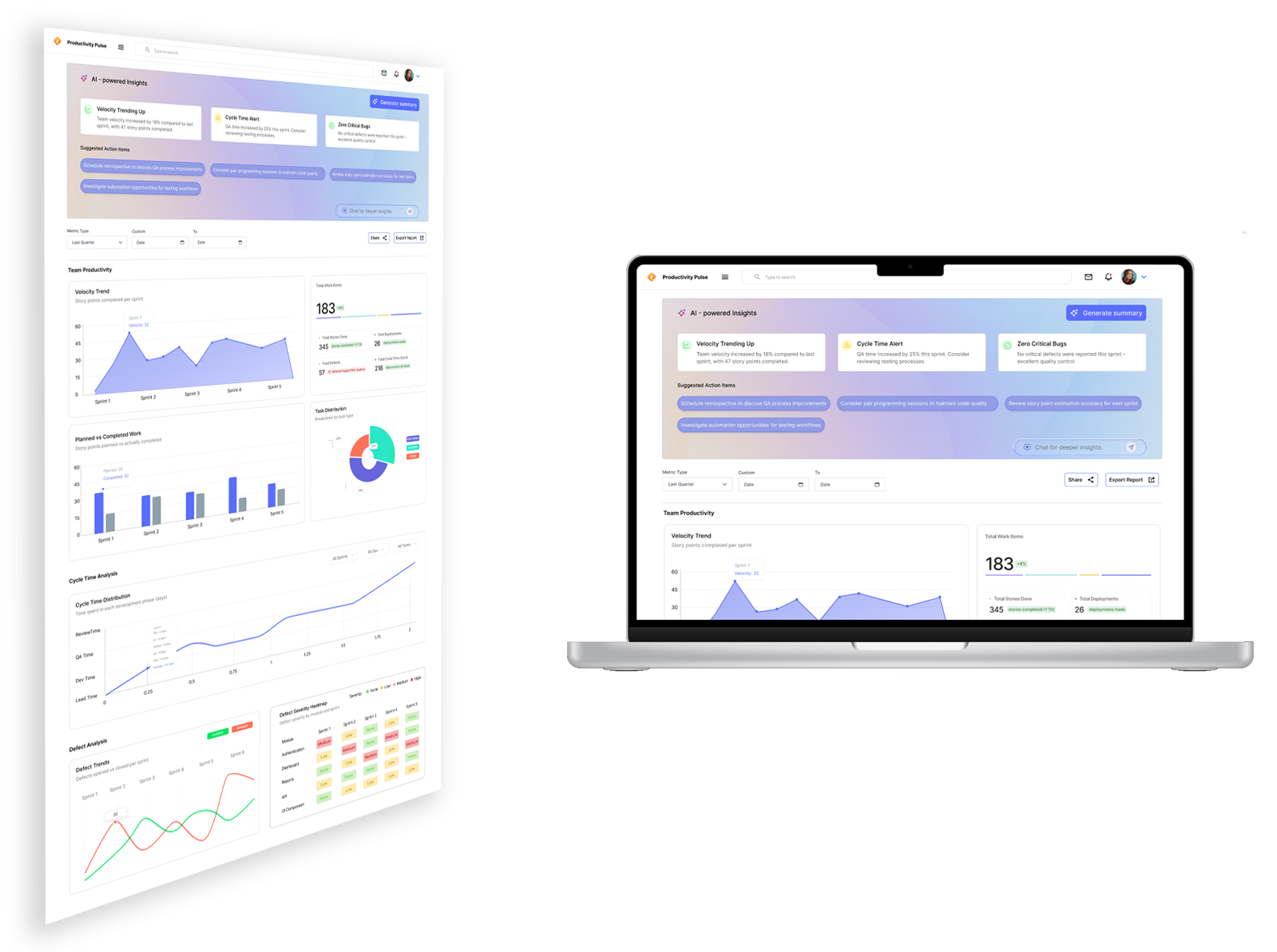
Apex GenAI is an enterprise engineering productivity platform designed to help software teams accelerate their development workflows using AI. The platform offers intelligent modules such as epic refinement, user story generation, code review, code analysis, and automated test case creation. This case study highlights the redesign of Apex GenAI’s dashboard and workflows to improve usability, reduce cognitive load, and create a unified experience across all AI features.
My Role
Responsible for end-to-end design:
- UX Research & Competitive Analysis
- Information Architecture
- User Flows & Journey Mapping
- Wireframes & High-Fidelity UI
- Interaction Design & Micro-interactions
- Design System Creation
- Collaboration with Product, AI Engineers & Front-End Developers
The Challenge
Engineering teams struggled with:
- Fragmented workflows across multiple AI modules
- Overwhelming dashboards with dense technical information
- Inconsistent UI patterns across screens
- Lack of clarity in actionable insights
- High cognitive load during refinement, code review, and testing tasks
The goal was to design a unified, intuitive, and insight-driven interface that enables engineers to work faster and smarter.
Objectives
- Simplify the navigation between AI modules
- Improve visibility of AI-generated insights
- Reduce mental load during refinement & code review
- Ensure consistent UI/UX across the platform
- Optimize workflows for story creation and test generation
- Create a design system that scales
Target Users
- Software Developers
- QA Engineers
- Scrum Masters
- Product Owners
- Engineering Managers
UX Research Insights
Key findings after stakeholder interviews, heuristic evaluations and competitor analysis:
- Users want quick clarity on what the AI recommends and why
- Engineers prefer minimal, distraction-free layouts
- Developers need the ability to trace suggestions back to context
- Excessive technical detail overwhelms new users
- Teams prefer customizable views for their sprint or codebase
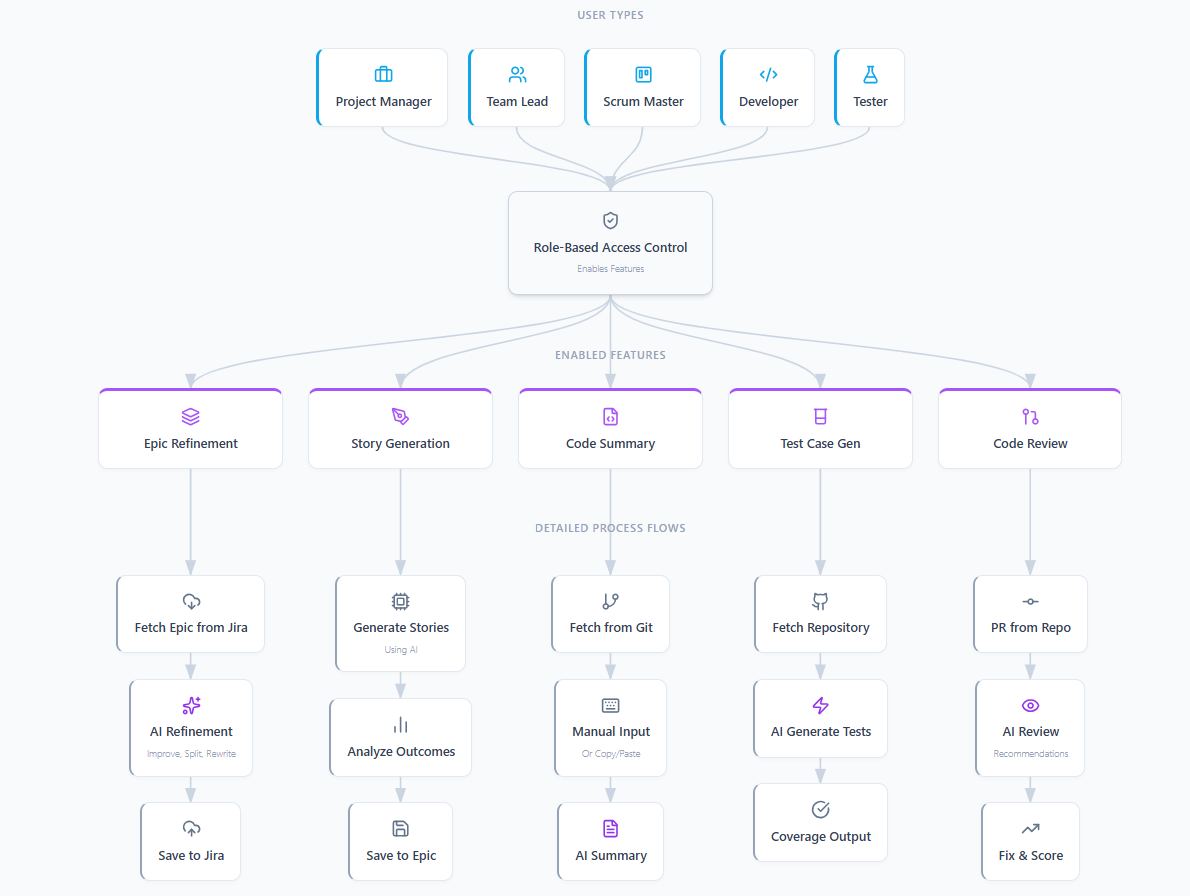
Role-Based Feature Flow Diagram
Role-Based Feature Flow Diagram illustrating how different user types access Apex GenAI modules and how each feature processes information through AI-driven workflows
Impact
After the redesigned experience:
- 30–40% faster navigation across modules
- Improved visibility of AI insights
- Reduced mental load for developers
- Higher adoption of story generation and code review features
- Consistent design system enabling faster feature development